



How to enable Face Mode in the IP Camera?
Mar 11, 2024
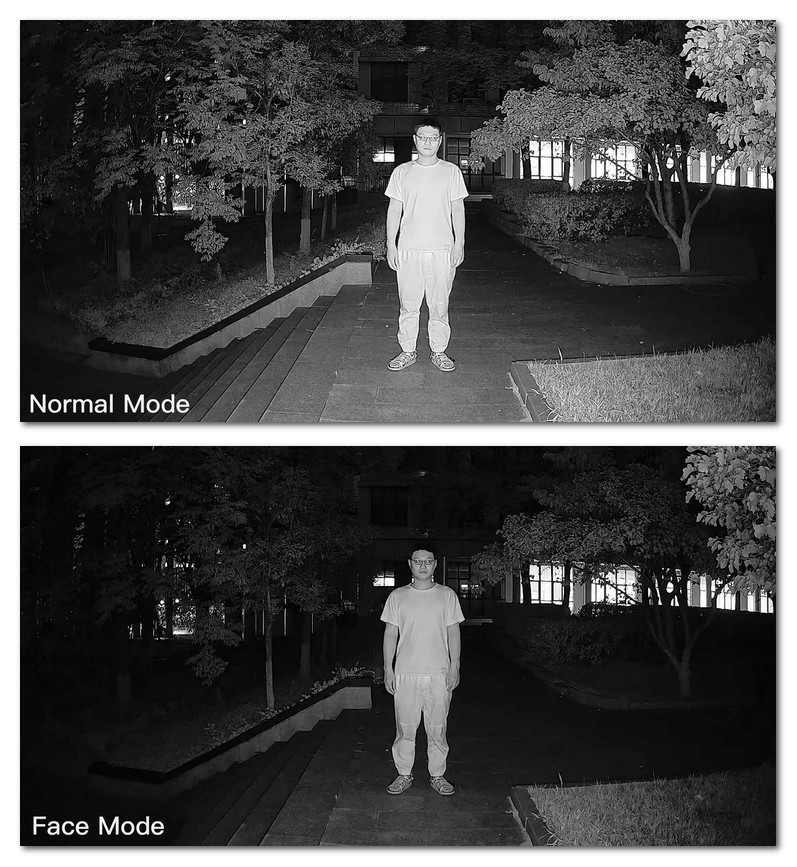
At night, under certain circumstances, the camera's infrared light may cause the face to be overexposed, thus affecting the clarity of the face. In order to solve this problem, Jovision cameras developed the face mode function to ensure clearer images when shooting human faces. For enabling the Face Mode feature, follow the steps.
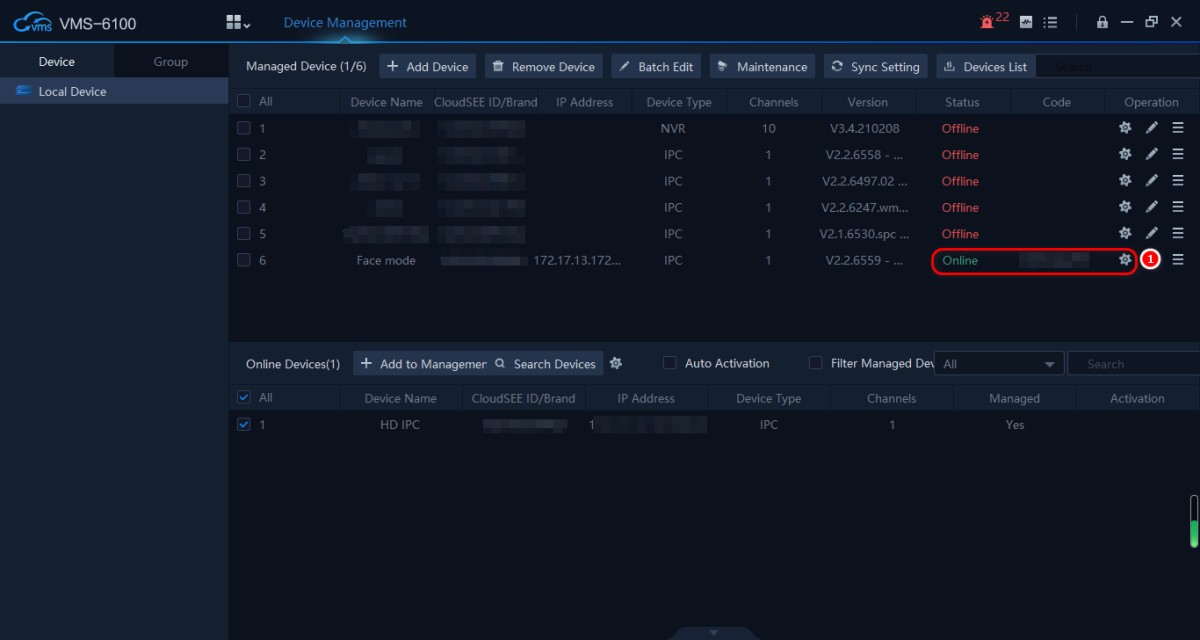
In the device management interface of VMS-6100, click the small gear at the end of the camera status to enter the camera's web interface background.

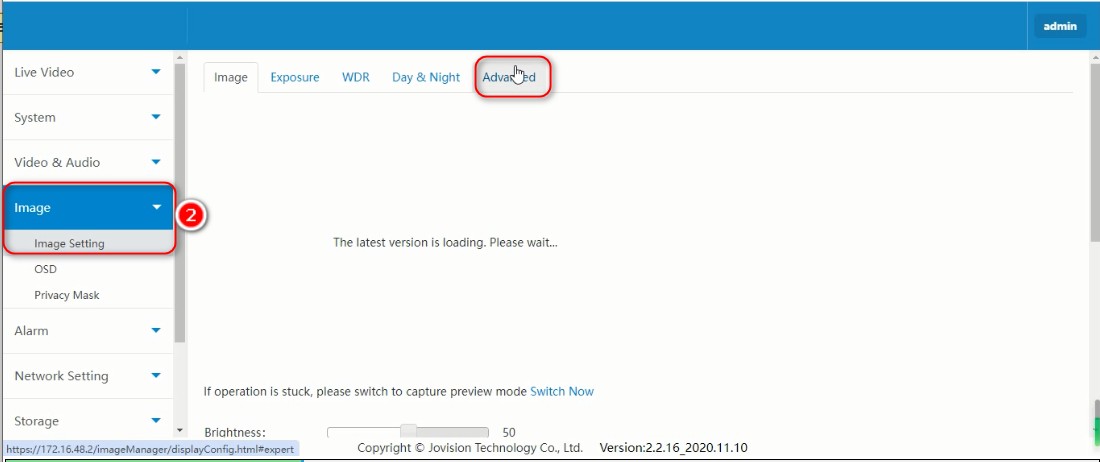
After entering the background of the camera, click the "Image" option and select the "Advanced" option in Image Setting.
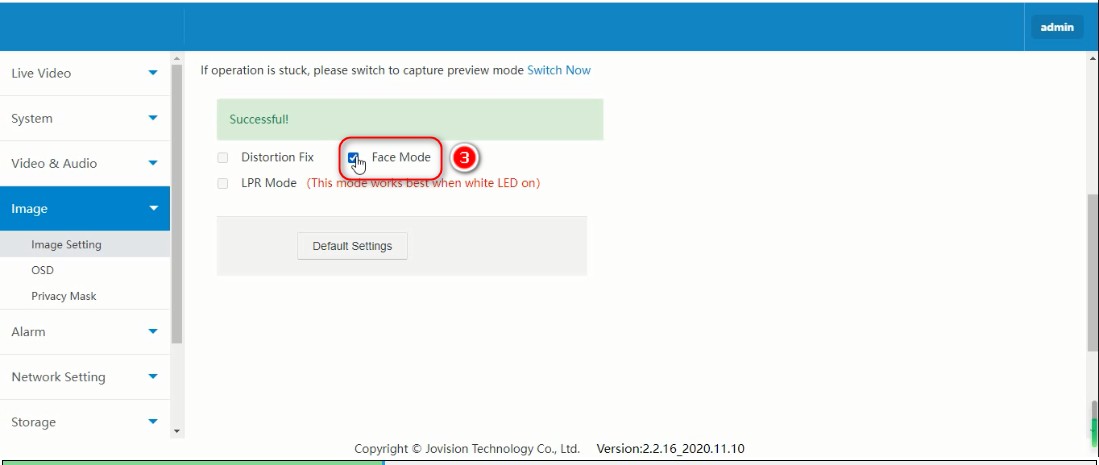
On the Advanced page, check the "Face Mode" option and save the settings.
Effect
Online Message
Online Message