



Steps:
Download software VMS-6100 and install it on your PC. You can find VMS-6100 on our website:
https://www.jovisionsecurity.com/download.html
Connect the Camera in the same subnet with your local network, and use VMS-6100 software to search and access the Camera.
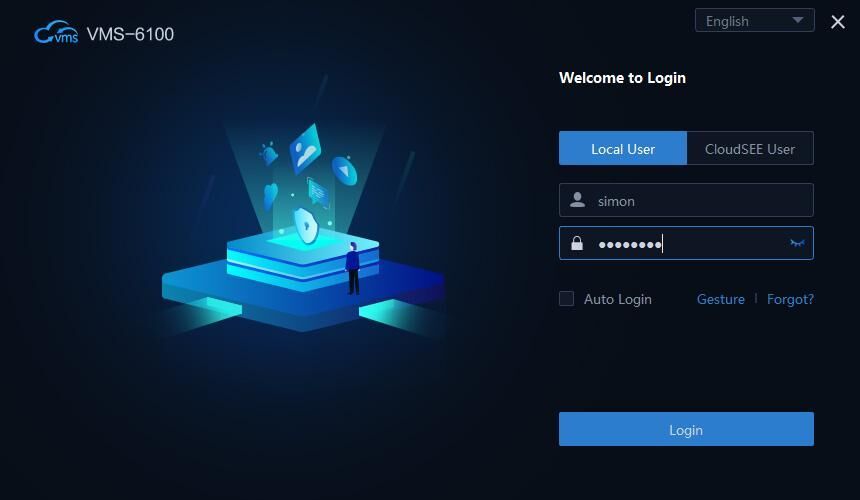
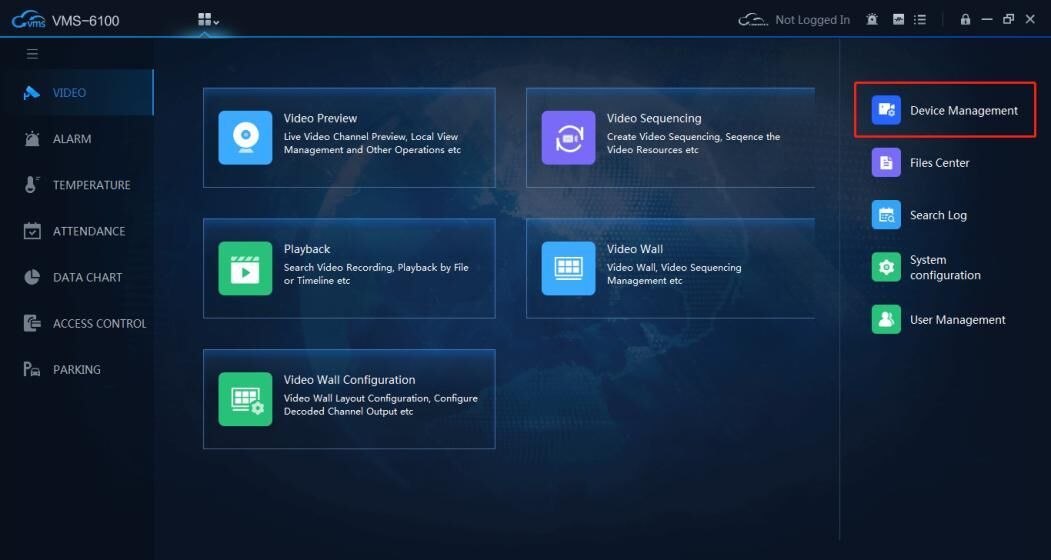
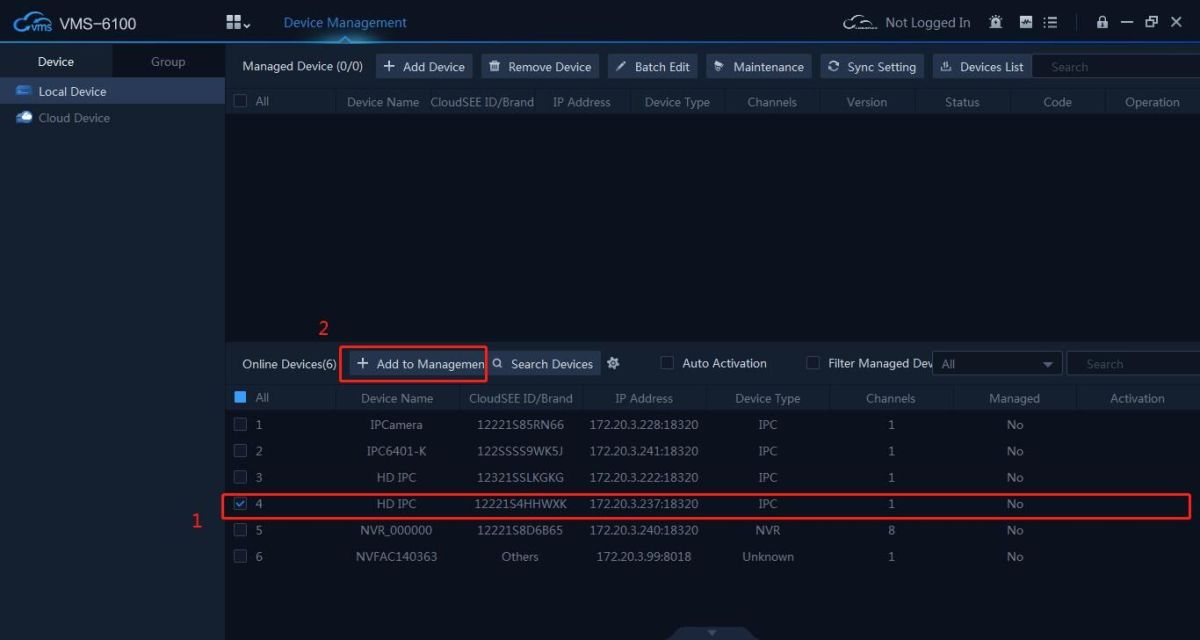
VMS-6100 will add device with default IP Camera account (Username: admin Password:<empty password>). If you changed the password, the device will not connect and show “Wrong Username or Password” in the Status.
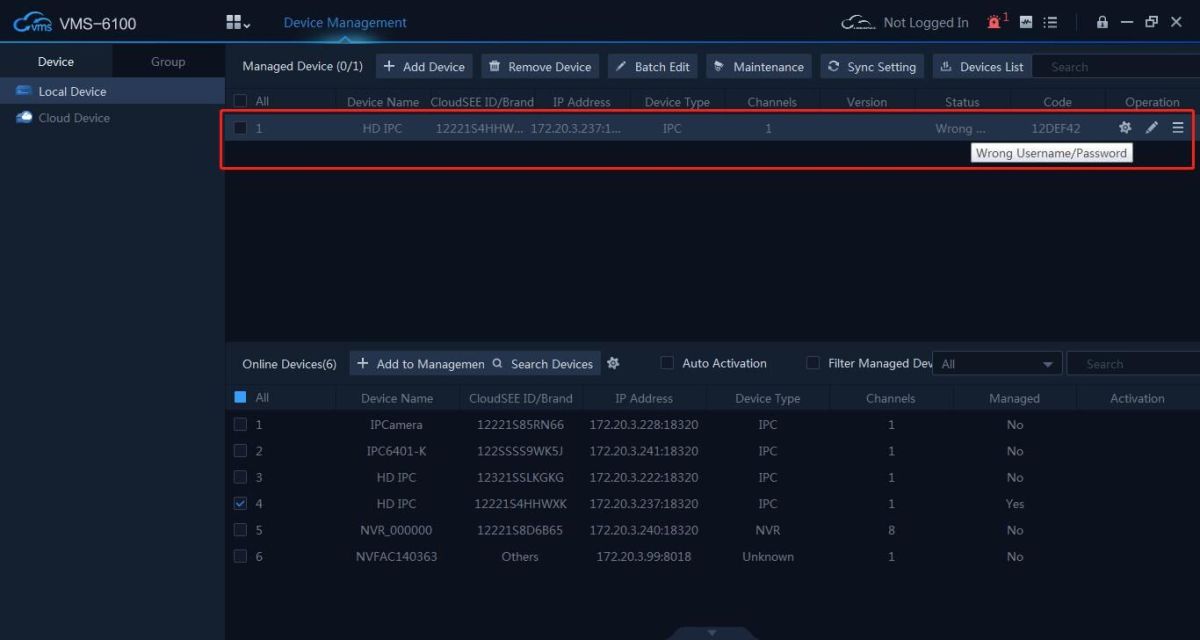
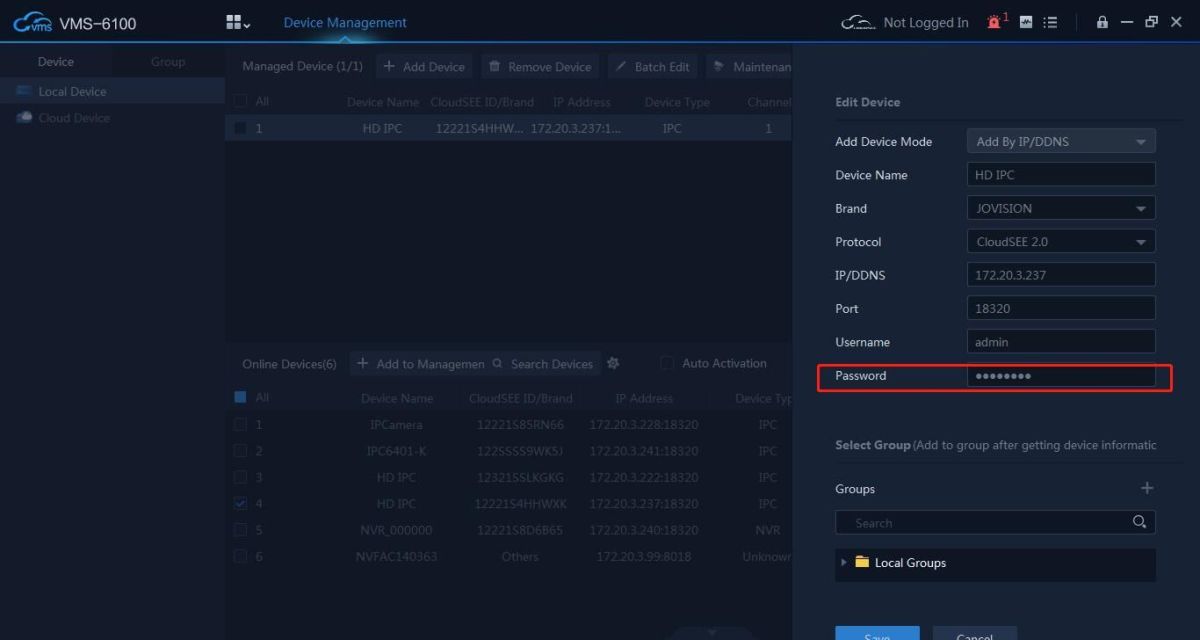
Double click the device or click Edit button, and input correct Username and Password. Click OK. The camera status will become Online.
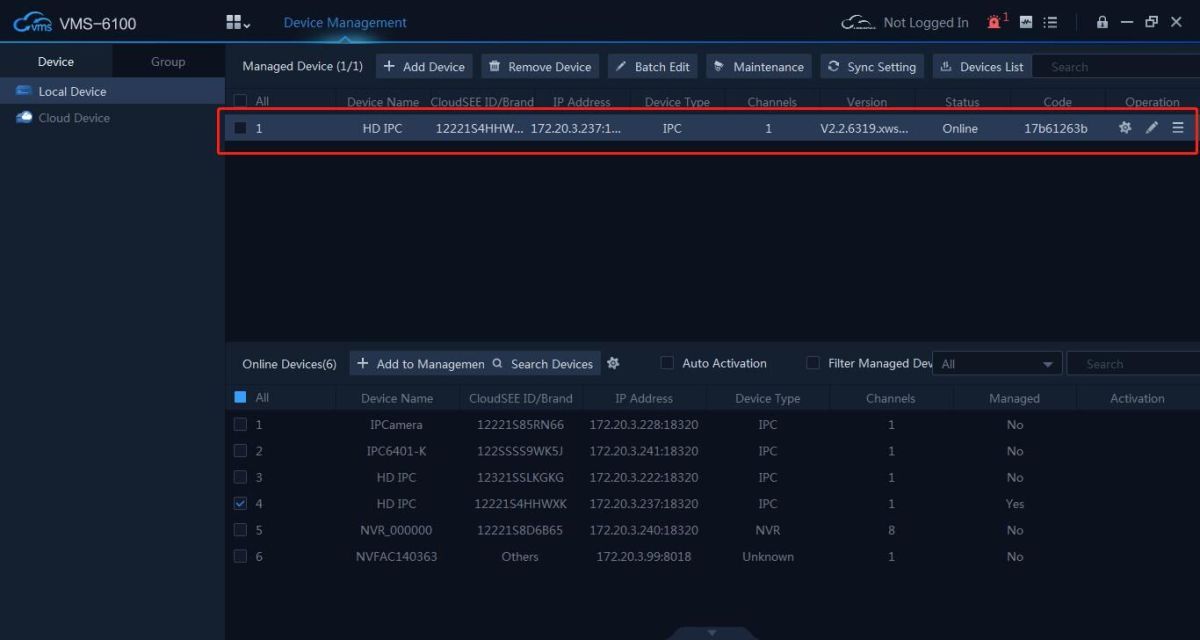
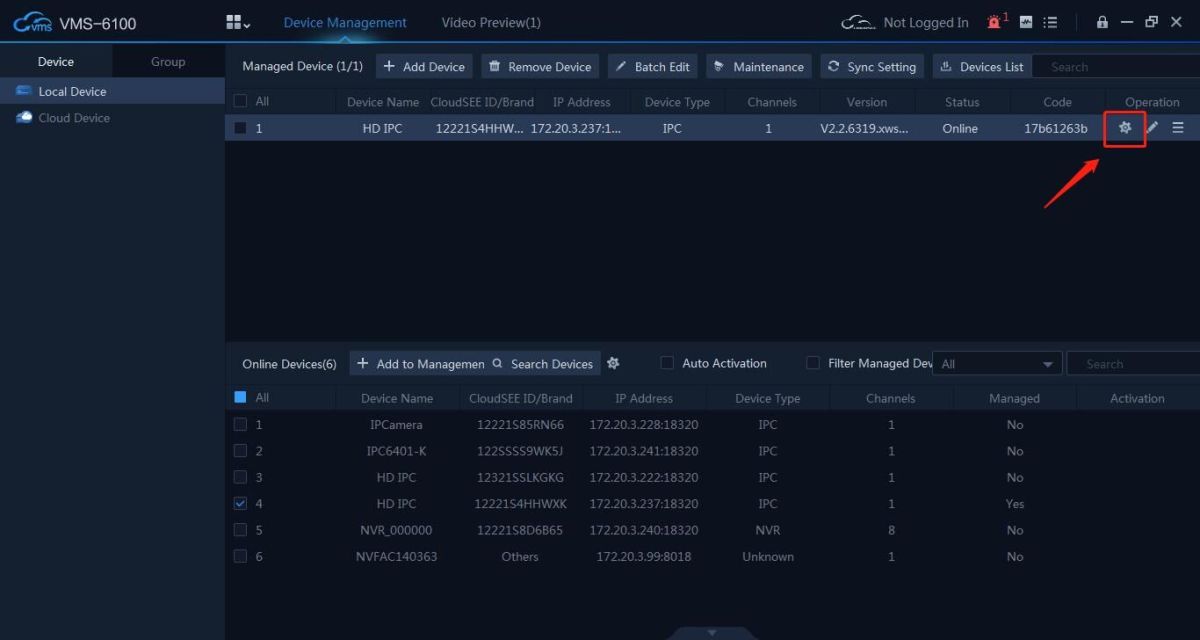
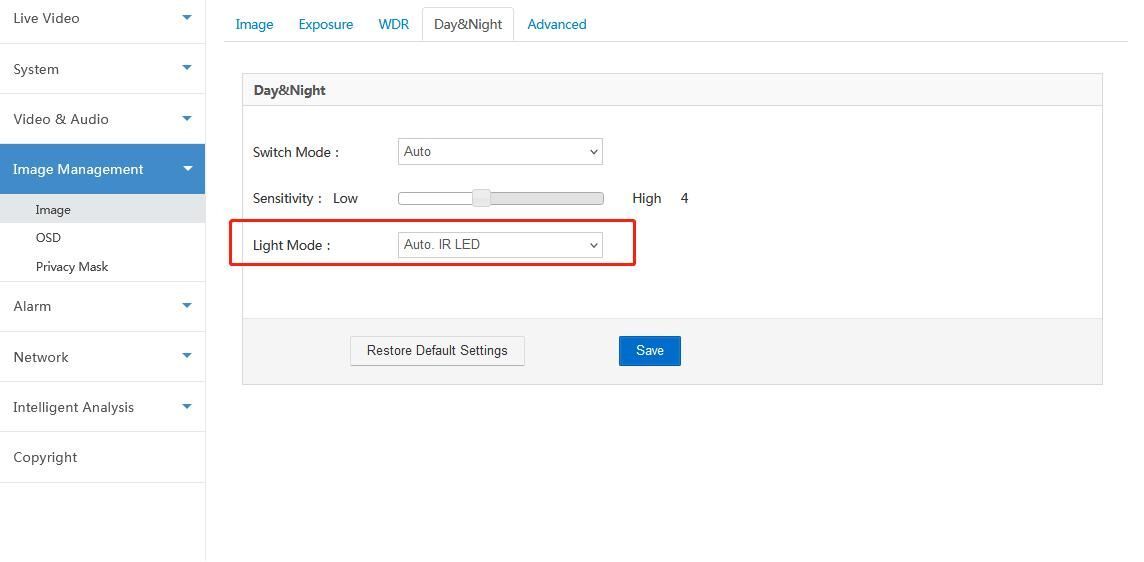
Click Setting button to access Camera’s web page, find the Settings page: Image Management -> Image-> Day&Night. Set “Light Mode” to “Auto. IR LED”, then save the setting.
Find the Settings page: Alarm -> Motion Detection. Enable “Enable Motion”, “ White LED Flash blink intensity setting” and “ play alarm sound play sound selection”, then save the setting.
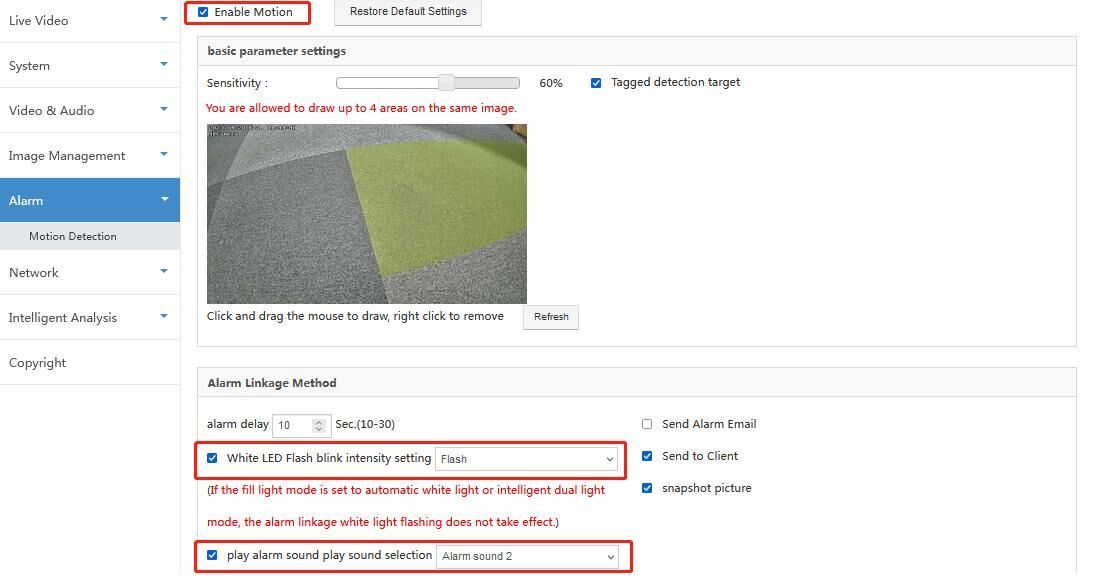
The setting is complete, when the alarm is triggered during the day, there will be a sound alarm, and when the alarm is triggered at night, there will be a sound and light alarm.
Online Message
Online Message